
MD.emu (Genesis Emulator)
Robert BrogliaArcade
4.2609.00 Reviews
- Version
- Varies With Device
- Installs
- 100.00K
- Age Rating
- Everyone
Screenshots
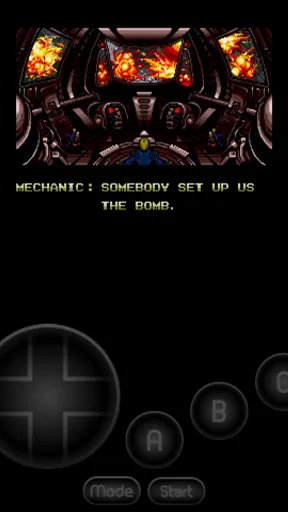
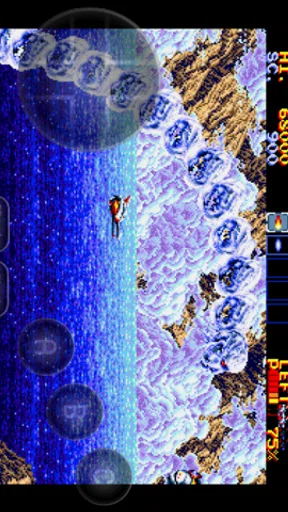
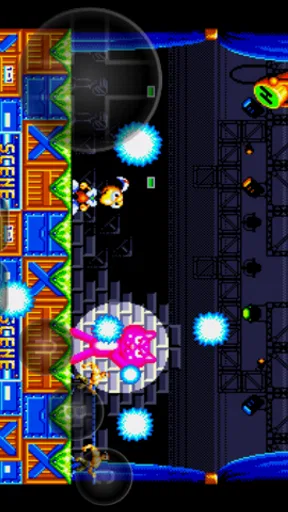
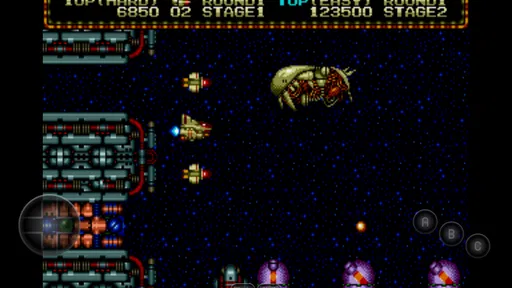
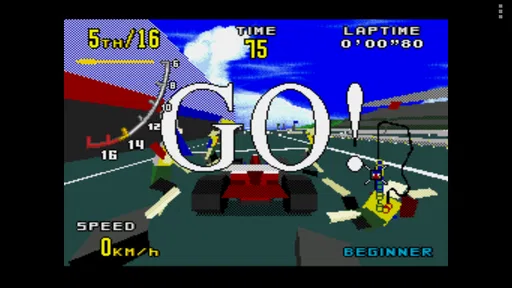
Our Review of MD.emu (Genesis Emulator)
 Analysis by Appyee
Are you a fan of classic gaming? If you grew up with the Sega Genesis or just love retro gaming, then MD.emu is an app you'll want to check out. It’s like taking a trip down memory lane, bringing all those pixel-perfect games right to your smartphone. Let me take you through my journey with this emulator.
Getting Started with MD.emu
First off, installation was a breeze. I hopped onto the Google Play Store, searched for MD.emu, and within minutes, I was ready to dive into a world of nostalgia. The emulator supports a wide variety of ROMs, and I found it quite straightforward to load my favorite games. I just had to transfer my ROM files to my device, and voilà, I was ready to play.
One of the standout features for me was the user-friendly interface. You know how some emulators can feel like you're navigating a spaceship? Not here. Everything is clearly laid out, making it easy to access settings, load games, and tweak controls. It's designed to make your gaming experience as smooth as possible.
Performance and Features
Now, let’s talk performance. This emulator doesn’t mess around. Games run smoothly, and I didn’t notice any lag or stuttering, even with more graphically intensive titles. The sound emulation is spot on too, capturing all those iconic chiptunes perfectly. It’s like having a mini Sega Genesis in your pocket.
MD.emu also supports various controllers, which is a big plus for me. I paired my Bluetooth controller, and it worked without a hitch. For those who prefer on-screen controls, the app offers customizable touch inputs, which are surprisingly responsive.
Another cool feature is the ability to save and load states. This means you can save your progress at any point and come back to it later, which is a lifesaver for those tricky levels that seem impossible to beat in one go.
Customization Galore
If you love tweaking settings, you’ll appreciate the level of customization available. From adjusting video scaling and shaders to fine-tuning audio options, there’s plenty to play around with. I particularly enjoyed experimenting with different shaders to give my games an authentic CRT look. It’s these little touches that make the experience all the more enjoyable.
And let’s not forget, for the tech-savvy among us, MD.emu offers support for cheat codes. Whether you’re looking to make a game a bit easier or just want to mess around with infinite lives, it’s all at your fingertips.
Compatibility and Support
The app supports a range of devices, whether you're on Android or iOS, and I found it worked equally well on both platforms. The developer is quite active in providing updates, which means you’re likely to get bug fixes and new features on a regular basis. Plus, there's a helpful community out there if you ever need tips or support.
Final Thoughts
So, what’s the verdict? If you're a fan of retro gaming, MD.emu is a fantastic choice. It captures the essence of the Sega Genesis era perfectly, offering a seamless gaming experience with plenty of features to keep you entertained. Whether you're revisiting your childhood favorites or discovering new ones, this emulator brings retro gaming to life on your smartphone.
In conclusion, if you’ve got a soft spot for the classics, give MD.emu a go. It’s like having a little slice of the past in the palm of your hand. Happy gaming!
Verdict
Strengths of MD.emu (Genesis Emulator)
- High compatibility with Genesis games.
- Customizable controls for better gameplay.
- Supports save states and fast forward.
- Multiplayer support via local network.
- No ads for uninterrupted experience.
Limitations of MD.emu (Genesis Emulator)
- Limited official support for updates.
- Requires ROMs, not included.
- May drain battery quickly.
- Occasional minor graphical glitches.
- No cloud save feature available.
Other Releases by Robert Broglia
View All
Snes9x EX+
Arcade4.2

NES.emu (NES Emulator)
Arcade4.3

GBA.emu (GBA Emulator)
Arcade4.3

NEO.emu (Arcade Emulator)
Arcade3.4
Similar Picks in This Category
View All
Subway Surfers
SYBO Games4.6

Stickman Party 234 MiniGames
PlayMax Game Studio4.6

Subway Princess Runner
Ivy4.4

Temple Run
Imangi Studios4.2

Zombie Tsunami
Mobigame SAS4.6

Stack Ball - Crash Platforms
CASUAL AZUR GAMES4.5
Frequently Asked Questions
What is MD.emu and what platforms does it support?
MD.emu is a high-quality Sega Genesis emulator designed for Android devices. It allows users to play classic Sega games on their smartphones or tablets. The emulator supports a wide range of Genesis/Mega Drive ROMs, providing an authentic gaming experience with customizable controls and features.
How do I install and set up games on MD.emu?
To install games on MD.emu, you need to have legally obtained ROM files of your favorite Sega Genesis games. Once you have the ROM files, store them on your device's storage. Open MD.emu and use the file browser to load your desired ROM. The emulator will automatically configure the settings for optimal gameplay.
Does MD.emu support multiplayer gaming?
Yes, MD.emu supports local multiplayer gaming through Bluetooth or Wi-Fi. This feature allows you to connect with friends and enjoy multiplayer games, adding a social element to your retro gaming experience. Ensure both devices have MD.emu installed and are on the same network for seamless connectivity.
Are there any customization options available in MD.emu?
MD.emu offers a variety of customization options to enhance your gaming experience. You can adjust the on-screen control layout, change the graphics settings, and even use external game controllers. These features ensure that you can tailor the emulator to suit your preferences and optimize gameplay performance.
Is MD.emu regularly updated and supported by its developers?
Yes, MD.emu is regularly updated to improve performance, add new features, and ensure compatibility with the latest devices. The developer is active in maintaining the app, addressing user feedback, and providing support. This commitment ensures that MD.emu remains a reliable choice for Sega Genesis emulation.
Play our best games!


